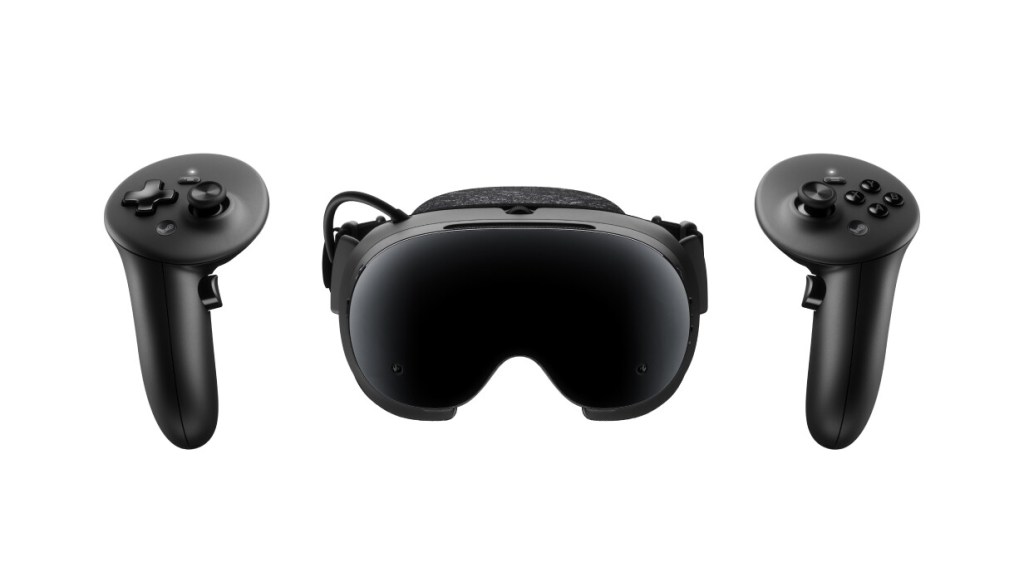
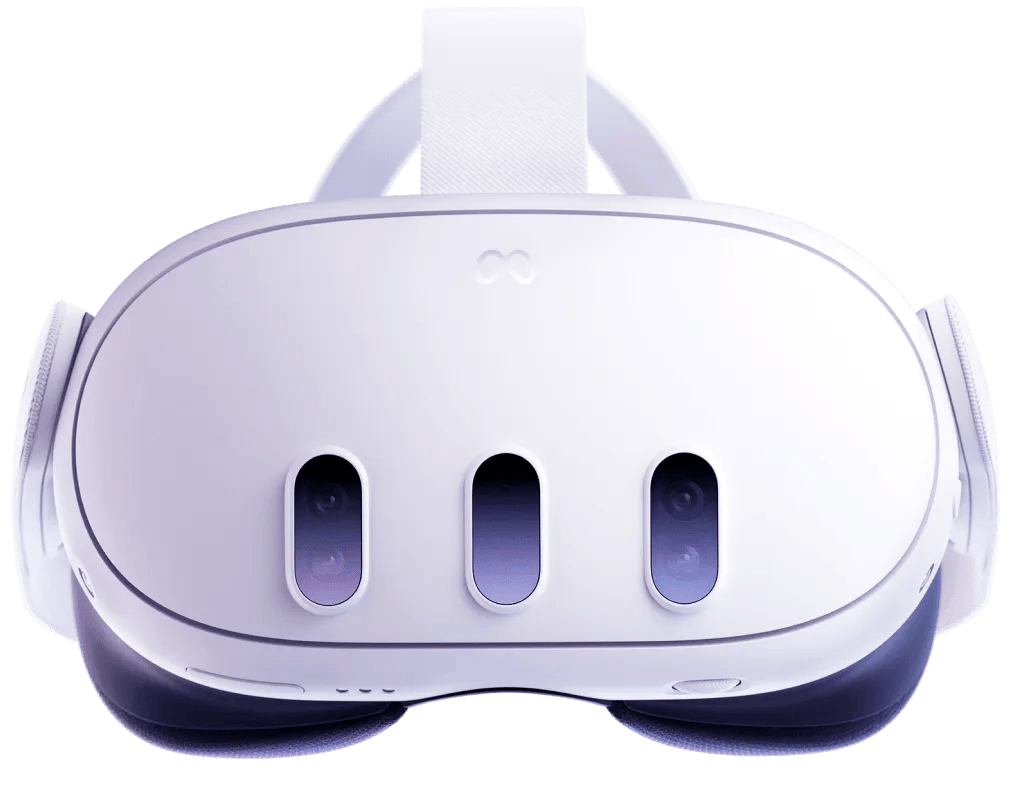
For a U.S. buyer choosing among these three headsets, the decision starts with your library and budget—not the largest memory number. The Quest 3S has the lowest listed entry price at $349.99. The $599.99 Quest 3 adds pancake optics and 512GB of storage. Steam Frame starts at $1,059 and is aimed at Steam-focused buyers who want Valve’s dedicated wireless PC connection. It is currently waitlist-only if units become available, so it does not offer immediate shipping.
This is a specifications-based comparison, not a hands-on or measured head-to-head test. There is no independent testing here for latency, comfort, battery life, or image quality.
24 Buying Checks at a Glance
| Buying check | Steam Frame | Meta Quest 3 | Meta Quest 3S |
|---|---|---|---|
| U.S. listed price | $1,059 (256GB); $1,299 (1TB) | $599.99 (512GB) | $349.99 (128GB); $449.99 (256GB) |
| Ordering status | Waitlist; notification if units become available | Retail product; check local stock | Retail product; check local stock |
| Primary use | Steam PC streaming plus compatible standalone games | Standalone Quest gaming and PC VR | Lower-cost standalone Quest gaming and PC VR |
| Processor | Snapdragon 8 Gen 3 | Snapdragon XR2 Gen 2 | Snapdragon XR2 Gen 2 |
| RAM | 16GB unified LPDDR5X | 8GB | 8GB |
| Internal storage | 256GB or 1TB | 512GB | 128GB or 256GB |
| Expandable storage | microSD slot | No microSD slot | No microSD slot |
| Resolution per eye | 2160 x 2160 | 2064 x 2208 | 1832 x 1920 |
| Lens type | Pancake | Pancake | Fresnel |
| Refresh rates | 72-144Hz; 144Hz experimental | 72 / 90 / 120Hz | 72 / 90 / 120Hz |
| Eye-tracked streaming | Foveated streaming uses eye tracking | No eye tracking | No eye tracking |
| Passthrough distinction | Monochrome cameras; color camera is an optional third-party accessory | Integrated full-color passthrough | Integrated full-color passthrough |
| Tracking setup | Inside-out camera tracking | Inside-out tracking | Inside-out tracking |
| Operating system | SteamOS 3 | Meta Horizon OS | Meta Horizon OS |
| Standalone library check | Check Steam Frame standalone compatibility per game | Quest version of each game | Quest version of each game |
| Gaming PC needed? | Yes for PC streaming; no for compatible standalone games | No for native Quest games; yes for PC VR | No for native Quest games; yes for PC VR |
| Wireless PC VR path | Included dedicated wireless adapter | Air Link or Steam Link; suitable network required | Air Link or Steam Link; suitable network required |
| Dedicated PC adapter in box | Included; Wi-Fi 6E adapter | Not included | Not included |
| Controllers | Steam Frame controllers with gamepad-style controls | Touch Plus | Touch Plus |
| Wall power supply | Not included; official 45W supply is $29 | Included | Included |
| Extra budget to check | Charger if needed, gaming PC if streaming, optional fit accessories | Optional strap and PC/network setup if using PC VR | Optional strap and PC/network setup if using PC VR |
| Battery comparison caveat | 21.6Wh capacity; no comparable runtime established here | About 2.2 hours, manufacturer general-use claim | About 2.5 hours, manufacturer general-use claim |
| Existing purchases | Check Steam ownership and game compatibility | Check Quest ownership; PC edition may be separate | Check Quest ownership; PC edition may be separate |
| Best-fit buyer (our assessment) | Steam-focused PC VR owner who accepts the price and waitlist | Quest buyer prioritizing pancake optics | Budget-first buyer accepting Fresnel optics |
Which headset fits your use case?
The Quest 3S is the straightforward choice for a first standalone headset when keeping the initial cost low matters most. Its $349.99 version has 128GB, while the 256GB model costs $449.99. Both support native Quest games and PC VR, and the box includes Touch Plus controllers and a power adapter.
Quest 3 is the better fit for someone already interested in the Quest library who prefers pancake lenses and wants 512GB of storage. It costs more than the Quest 3S, but its optical design is a meaningful difference rather than a minor resolution adjustment.
Steam Frame makes the most sense for an existing Steam PC gamer who specifically values Valve’s dedicated wireless route. That choice comes with a much higher price, a waitlist, and the need to check whether the games you care about are compatible with Frame’s standalone systems. Quest headsets also support PC VR, so Steam access does not require buying Frame.
U.S. prices, storage, and what comes in the box
Steam Frame is listed at $1,059 for the 256GB kit and $1,299 for the 1TB kit. The power supply is not included. Steam lists an official 45W USB-C PD3.0 supply for $29, while an equivalent 45W-or-higher USB-C supply or a Steam Deck charger can be used. An optional ergonomic kit costs $59 and adds controller straps, a headset top strap, and an extended light blocker.
Quest 3 costs $599.99 for 512GB, with a power adapter included. Quest 3S costs $349.99 for 128GB or $449.99 for 256GB, also with a power adapter included. These are headset prices; the cost of owning a capable gaming PC should be considered separately when comparing PC VR options. Current Quest retail stock may vary.
For the official Steam listing, see Steam Frame U.S. listing. Meta’s U.S. pricing and box details are collected in Quest U.S. price and box contents.
Games, stores, and where rendering happens
Steam Frame is built around streaming-first PC Steam gaming. A PC renders a streamed PC game, while a compatible standalone title executes on the headset itself. Those are different experiences with different hardware requirements, and the distinction matters when deciding whether Frame can replace another headset or a PC-based setup.
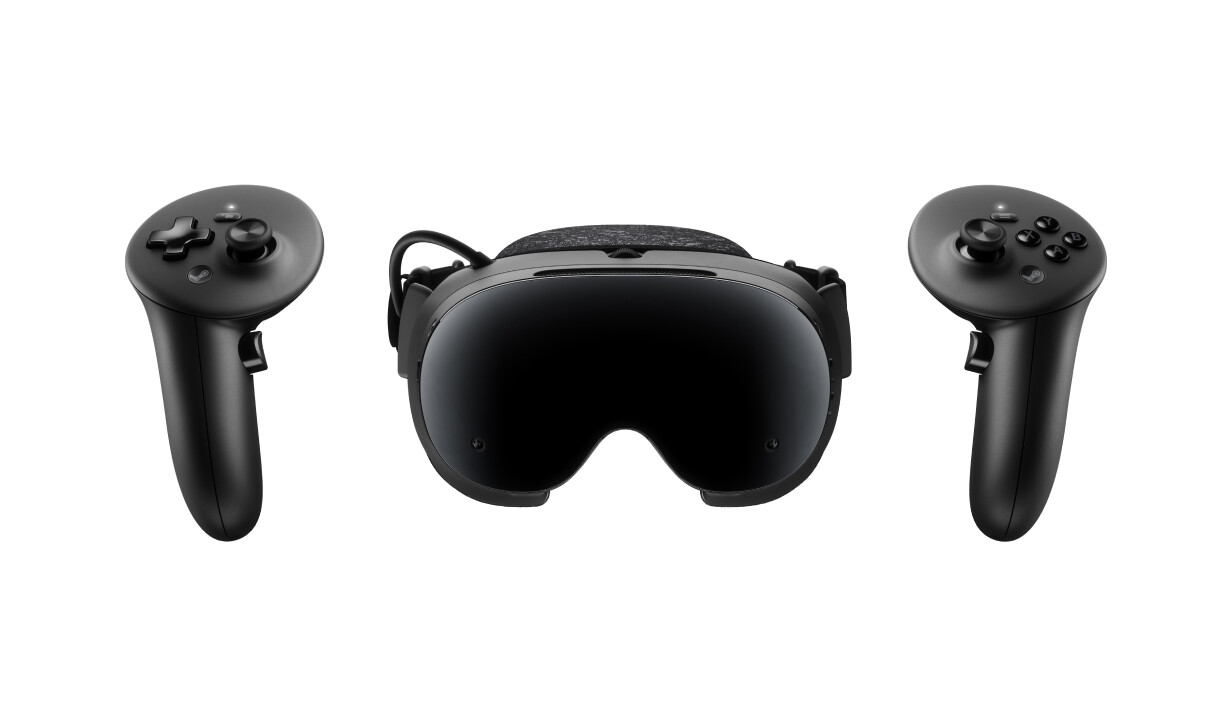
Steam’s compatibility approach uses Proton for Windows software, FEX for x86 software, and Lepton for Android software. These are compatibility mechanisms, not proof that every Steam game will run standalone. Compatibility is game-specific, and the buyer should check the actual titles they intend to play along with their hardware requirements. Frame should not be treated as having automatic Quest-store support or Quest cross-buy.
Quest 3 and Quest 3S run native Quest games on Horizon OS. They can also connect to PC VR through PC Link, Air Link, or Steam Link, provided the buyer has a compatible PC and network. Game versions and store licenses remain separate questions from whether a headset can technically access a platform. Steam’s hardware information is available in Steamworks hardware overview, while the standalone program is described in Standalone compatibility program and Compatibility architecture.
Displays, lenses, and tracking
Steam Frame uses a 2160-by-2160 LCD per eye with pancake optics and a refresh-rate range of 72Hz to 144Hz. The 144Hz mode is experimental; it does not mean every game will render at 144Hz. Frame also includes eye tracking and eye-tracked foveated streaming, plus four monochrome tracking cameras.
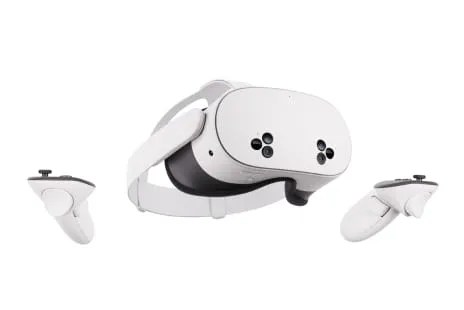
Quest 3 has a 2064-by-2208-per-eye display, pancake lenses, and 72Hz, 90Hz, and 120Hz modes. Quest 3S has a lower 1832-by-1920-per-eye resolution and Fresnel lenses with three-position lens adjustment, alongside the same 72Hz, 90Hz, and 120Hz refresh-rate options. Quest 3 and Quest 3S do not include eye tracking.
All three headsets use inside-out tracking, so they do not require external tracking stations. Quest 3 and Quest 3S include integrated full-color passthrough. Frame’s optional third-party Arcturus Vision color camera is not included, so its listed tracking-camera setup should not be read as equivalent to the Quest models’ included full-color passthrough hardware.
The lens difference is important in everyday viewing. Pancake and Fresnel are different optical designs, not simply two ways of describing display resolution. For Quest 3S buyers, the lower price comes with the Fresnel lens system and its three-position adjustment. More Quest details appear in Quest 3 specifications and Quest specification comparison.
Processing, memory, and storage expansion
Steam Frame uses a 4nm Snapdragon 8 Gen 3 ARM64 platform with 16GB of unified LPDDR5X memory, UFS storage, and a microSD slot. It runs SteamOS 3 and includes a Wi-Fi 6E wireless adapter for a dedicated PC connection, alongside dual Wi-Fi 7 radios in the headset. Its controllers also include gamepad controls.
Quest 3 and Quest 3S use the XR2 Gen 2 platform with 8GB of memory. Neither has a microSD slot. Those numbers can help explain the design differences, but they do not establish like-for-like game performance. A different chipset, more RAM, or a higher display specification does not prove that Frame is twice as fast, particularly when one product may be streaming from a PC and another may be running a standalone version.
Battery and practical limitations
Steam Frame’s listed battery capacity is 21.6Wh. That figure should not be converted into a runtime estimate or ranked directly against Meta’s general-use claims, because capacity and measured usage are not the same thing.
Meta gives a general-use battery claim of 2.2 hours for Quest 3 and 2.5 hours for Quest 3S. Those figures were not independently tested for this comparison. Comfort, latency, image quality, and real-world endurance also remain unverified here.
Final buying advice
Choose Quest 3S if your priority is the lowest listed entry cost for a standalone headset. Choose Quest 3 if you want the Quest ecosystem with pancake optics and 512GB. Consider Steam Frame if you already have a Steam gaming PC, want Valve’s dedicated wireless PC path, accept the price and waitlist, and have verified that the standalone games you care about are supported.
If your current headset already handles your library and preferred PC or standalone use, keeping it may be the most sensible decision. A new chipset, display, or store connection only matters if it changes the games and way of playing you actually want.
For additional context, see Meta glasses and Quest family comparison.
Cover image: Meta Quest 3, official Meta product image. Specifications and U.S. listed prices checked October 7, 2026. Stock, bundles and prices can change.
Continue Reading
Steam Frame Buying Guide: Price, PC Requirements and Game Compatibility