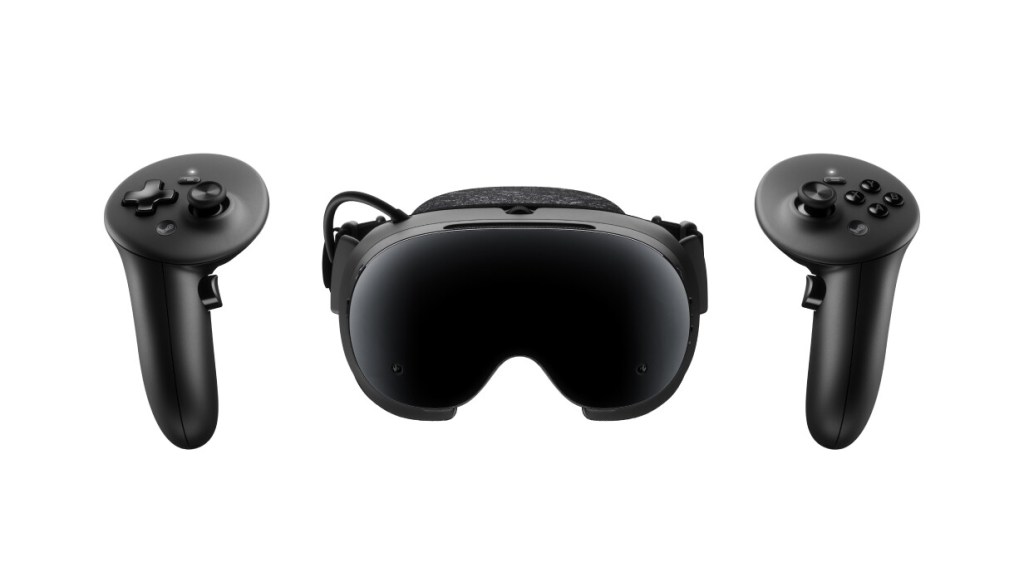
Steam Frame starts at $1,059 for the 256GB kit and rises to $1,299 for the 1TB kit. Before joining the waitlist, decide which of your games you expect to stream from a PC and which you want to run on the headset itself. Those are different buying requirements, even when both games are in your Steam library.
These are U.S. prices before tax, checked October 7, 2026. Steam Frame is listed with waitlist notification if units become available, so the listing does not establish immediate shipping or a guaranteed delivery date. This is a specifications-based buying guide, not a hands-on review.
Steam Frame Key Specifications
| Buying check | Steam Frame |
|---|---|
| U.S. listed price | $1,059 (256GB); $1,299 (1TB) |
| Ordering status | Waitlist; notification if units become available |
| Processor | Snapdragon 8 Gen 3 |
| RAM | 16GB unified LPDDR5X |
| Internal storage | 256GB or 1TB |
| Expandable storage | microSD slot |
| Resolution per eye | 2160 x 2160 |
| Lens type | Pancake |
| Refresh rates | 72-144Hz; 144Hz experimental |
| Eye-tracked streaming | Foveated streaming uses eye tracking |
| Standalone library check | Check Steam Frame standalone compatibility per game |
| Wall power supply | Not included; official 45W supply is $29 |
Price, availability and what comes in the box
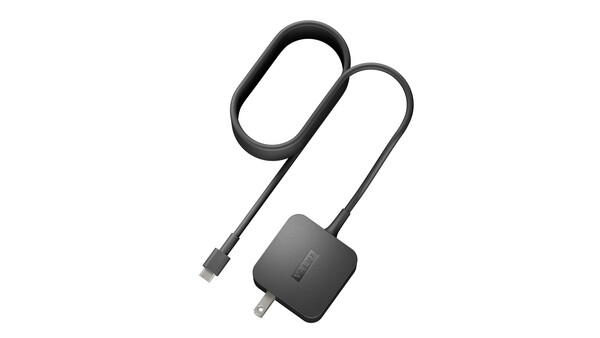
The Steam Frame U.S. listing presents two storage options: 256GB for $1,059 and 1TB for $1,299. The listed kit does not include a power supply. Steam’s official 45W USB-C PD3.0 supply is priced at $29, although an equivalent 45W-or-higher USB-C supply or a Steam Deck charger can be used.
The $59 ergonomic kit is optional. It includes controller straps, a headset top strap and an extended light blocker. Those accessories may matter when considering fit and setup, but they are not included in the base headset price.
Do you need a gaming PC?
Steam Frame is designed for streaming PC Steam games wirelessly, while also supporting compatible standalone VR and non-VR titles. During streamed play, the PC renders the game and sends the result to the headset. During standalone play, the title executes on the headset itself. That distinction is central to the buying decision because a large Steam library does not mean every game is suitable for local execution on Frame.
The Steamworks hardware overview describes an included Wi-Fi 6E wireless adapter for a dedicated PC connection, as well as Wi-Fi 7 dual radios in the headset. This gives Steam-focused buyers a defined route to PC gaming. It does not eliminate the need for a capable computer or a network suitable for the games being streamed.
Steam Frame’s 1TB option changes the amount of local content that can be stored; it does not change the headset’s basic streaming concept. Storage has a different role in a streaming-led setup than on a headset used mainly for installing native games, although Frame should not be treated as having no local software or data. Buyers should consider both the headset’s storage and the storage available on the PC that holds their Steam library.
Compatibility is a game-by-game check
Steam Frame’s standalone support is title-specific. Its compatibility approach includes Proton for Windows software, FEX for x86 software and Lepton for Android software. The compatibility architecture and the standalone compatibility program describe mechanisms and supported cases. They do not establish universal compatibility, and they do not prove that a Quest library will run on Steam Frame.
Before buying, make a list of the games you actually intend to play. For each title, check whether the expected experience is streamed PC play, standalone execution or support for both. A Windows game being available on Steam does not by itself prove that it will run locally on Frame. Likewise, a game sold on both Steam and Quest should not automatically be treated as a shared purchase.
Game versions, store licenses and cross-buy policies should be checked separately. Do not assume that a Quest purchase transfers to Steam, that Steam Frame supports the Quest store library or that a title has identical content, controls, saves or performance across platforms.
What the hardware specifications do and do not promise
Steam Frame uses a 4nm Snapdragon 8 Gen 3 ARM64 platform with 16GB of unified LPDDR5X memory. It has UFS storage with microSD support, 2160 × 2160 LCD resolution per eye, pancake lenses and a 72–144Hz range, with 144Hz identified as experimental. Eye-tracked foveated streaming is part of its specification set. The headset runs SteamOS 3 and uses four monochrome tracking cameras.
Inside-out tracking means Steam Frame does not require external tracking stations. Its optional Arcturus Vision color camera is a third-party accessory, not part of the standard kit. Buyers who specifically want color passthrough should not assume the monochrome camera specification includes it.
Refresh rate is not a guarantee of game performance. The experimental 144Hz option does not promise that your chosen title will render at that rate. Likewise, memory capacity is not a benchmark for how smoothly a demanding game runs locally or streams from your particular PC.
Battery, charging and fit considerations
Steam Frame has a 21.6Wh battery capacity, but that figure does not establish runtime. No independent battery, comfort, latency or image-quality testing was performed for this guide. Buyers should therefore avoid treating the capacity as a direct promise about how long the headset will operate.
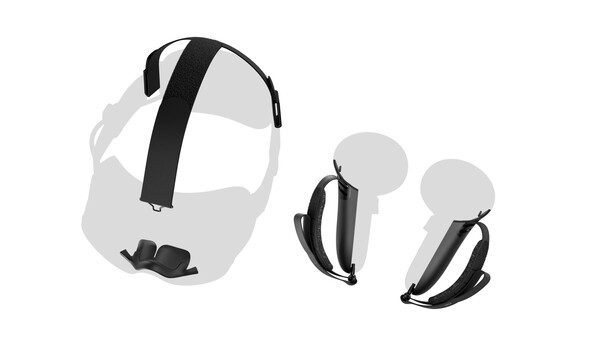
Fit is another reason to review the return terms rather than deciding from photographs alone. An optional strap or light blocker may address a particular preference, but its availability does not establish how the headset will fit your face.
Steam Frame’s charging situation deserves attention before purchase. Confirm whether an existing USB-C supply meets the stated power level, or include the official 45W supply in the setup budget. A suitable charger is a practical requirement, but it should remain separate from the headset’s listed price.
Who should consider Steam Frame?
Steam Frame is most compelling for buyers whose games already live on Steam, who value a dedicated wireless PC-streaming path and who have a capable PC available. Its standalone capabilities may broaden its use, but those capabilities must be checked title by title. Its higher starting price, separate charger consideration and waitlist status make it a less straightforward first-headset purchase for someone who has not yet chosen a software ecosystem.
Owning a capable PC is not the same as including its price in the headset cost. If the computer is already available, its purchase price does not become part of the Frame headset price. If a buyer needs to purchase or upgrade one for PC streaming, that additional expense is still relevant to the total setup budget.
Before ordering, confirm local availability, review the games you own, check each game’s official requirements and compatibility notes, verify that your PC and network are suitable for the intended streaming use, identify the charger you plan to use and read the return and fit terms at checkout. The Meta glasses and Quest family comparison offers additional family-level context, but the final choice should rest on the specific games, hardware and setup the buyer intends to use.
Considering a lower-cost alternative? Consult the Quest U.S. price and box contents, Quest 3 specifications and Quest specification comparison before comparing total setup costs.
Cover image: Steam Frame headset kit, official Valve product image. Specifications and U.S. listed prices checked October 7, 2026. Stock, bundles and prices can change.
Continue Reading
Steam Frame vs Quest 3 vs Quest 3S: Price, Specs and Games Compared