XREAL 1S is the point where XREAL’s display-glasses lineup becomes easier to understand. XREAL One proved that a built-in spatial chip could make wearable screens feel calmer and less dependent on software tricks. XREAL One Pro pushed the premium version wider and brighter. XREAL 1S now brings the buying question back to earth: what if the most sensible model is the newer $449 one?
That makes 1S especially important for U.S. readers comparing smart glasses with Meta Quest. It is not a VR headset, and it is not a Ray-Ban Meta-style camera assistant. It is a private screen for the devices you already use: handheld consoles, laptops, tablets, phones, and compatible game systems. If Quest is the room you step into, XREAL 1S is the screen you carry with you.
What XREAL 1S is
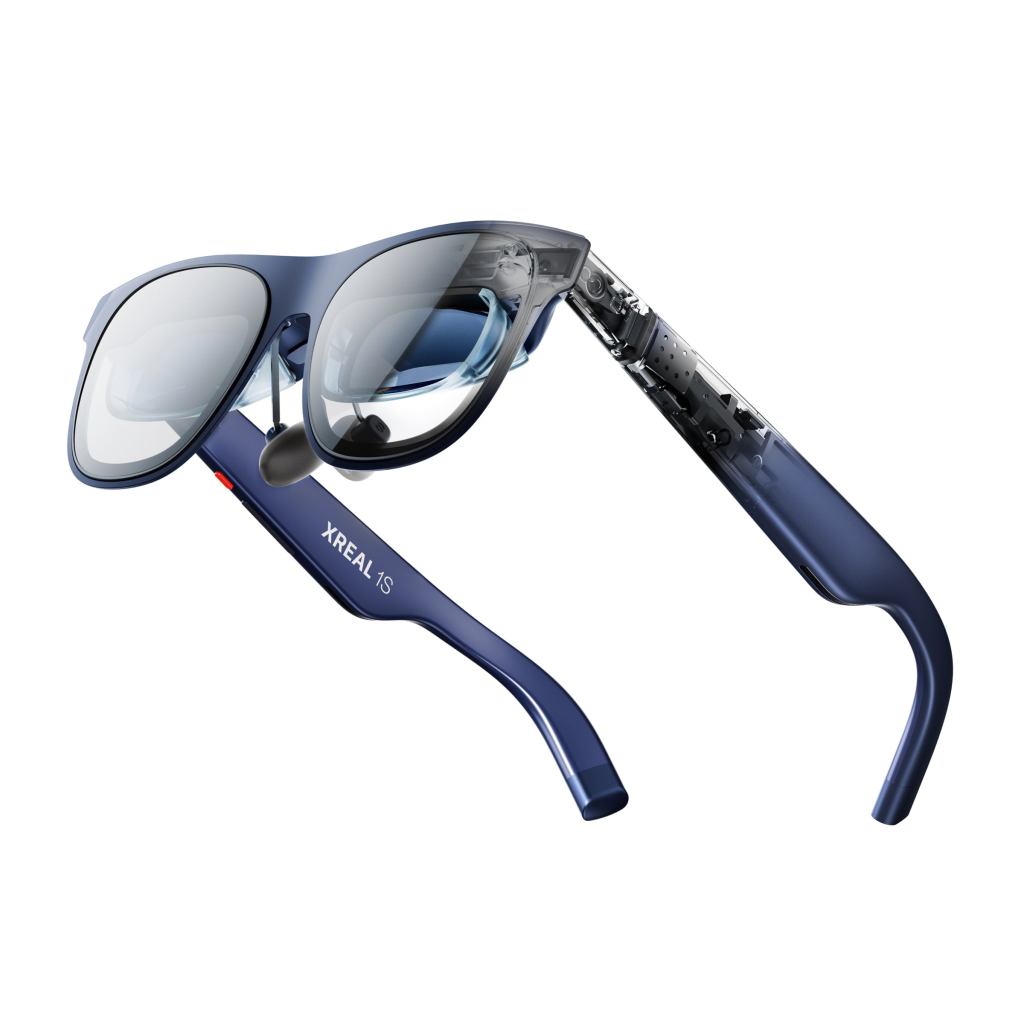
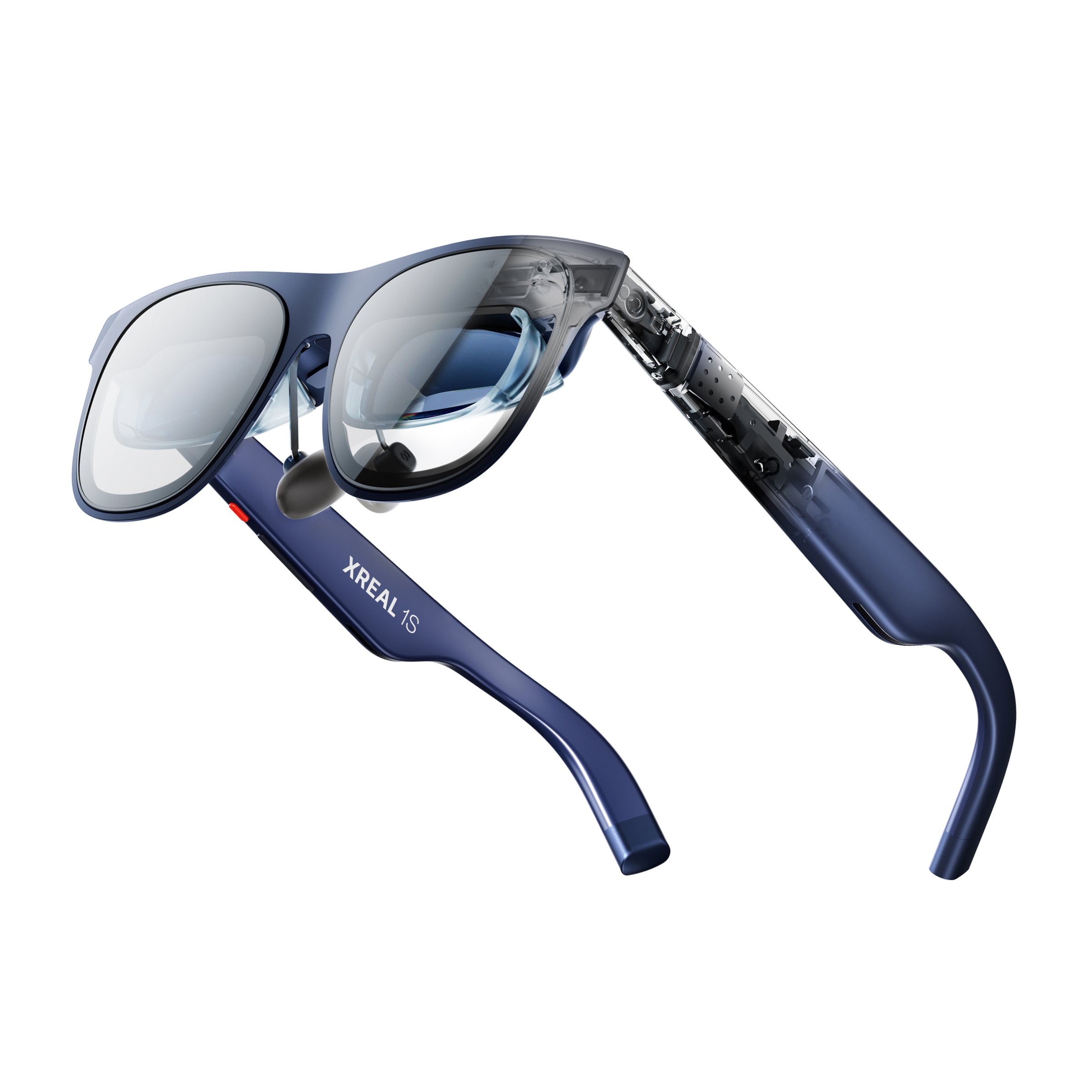
XREAL 1S is an AR display glasses model that connects by USB-C DisplayPort to compatible source devices. The official XREAL U.S. shop currently lists it at $449 USD. The official XREAL 1S page highlights a 1200p display, 120Hz refresh rate, 700-nit peak brightness, 52-degree field of view, the XREAL X1 spatial computing chip, Sound by Bose, automatic transparency dimming, and Real 3D conversion on the glasses side.
The important phrase is display glasses. XREAL 1S does not run Quest apps by itself, does not replace a gaming handheld, and does not become a full mixed-reality computer without accessories. The source device still provides the app, game, movie, or desktop. The glasses make that source feel larger, more private, and more spatial.

The core specs that matter
- Current U.S. store price: $449 USD on XREAL’s U.S. shop at the time checked.
- Resolution: 1200p, up from the 1080p baseline used by XREAL One.
- Field of view: 52 degrees, slightly wider than XREAL One’s 50 degrees.
- Refresh rate: up to 120Hz.
- Brightness: 700 nits peak brightness according to XREAL’s official 1S page.
- Chip: XREAL X1 spatial computing chip for on-glasses spatial display control.
- Latency claim: XREAL lists 3ms motion-to-photon latency for the X1-driven system.
- Audio: Sound by Bose open-ear audio tuning.
- Weight: 82 grams according to XREAL’s 1S page.
- Connection: USB-C DisplayPort output is still the key compatibility requirement.
Those numbers matter because display glasses live or die on comfort and clarity. A bigger spec sheet is not enough if the image is soft, the screen drifts, or the glasses are tiring after half an hour. XREAL 1S looks like an attempt to improve the everyday parts of XREAL One without pushing everyone into the $649 One Pro tier.
Why 1200p and 52 degrees matter
The jump from 1080p to 1200p is not the kind of upgrade that turns display glasses into a totally new category, but it does matter for small text, menus, subtitles, and game UI. A portable display is only useful if you can read what is on it without constantly resizing the screen. For Steam Deck-style use, that is more important than a flashy demo.
The 52-degree field of view also puts 1S in a useful middle position. It is wider than XREAL One, but not as wide as XREAL One Pro’s 57 degrees. That makes the 1S easier to recommend to people who want the newer display spec but do not want to pay flagship pricing. The One Pro still owns the premium display lane. The 1S owns the practical upgrade lane.

Real 3D is the feature that changes the conversation
The feature that gives XREAL 1S its own identity is Real 3D. XREAL describes it as glasses-side 2D-to-3D conversion, meaning the glasses can convert compatible 2D content into a 3D-style presentation without requiring a special app on the source device. The Verge’s CES hands-on described it as the most notable addition, while also noting that the effect can vary depending on the video.
That is the right expectation. Real 3D should not be treated as magic. It is better understood as an entertainment enhancer. Movies, sports clips, game footage, and visual-heavy videos may benefit more than text-heavy work, menus, or ordinary productivity. If you buy 1S, buy it first as a better wearable display. Treat Real 3D as the bonus feature that may make certain content more fun.
Best use cases
- Handheld gaming: Steam Deck, ROG Ally, Lenovo Legion Go, and similar devices are the most obvious match.
- Nintendo Switch-style play: a compatible video path can turn portable gaming into a larger private screen.
- Travel video: flights, hotels, trains, and small apartments are where private display glasses make immediate sense.
- Laptop privacy: XREAL 1S can act like a portable monitor when a normal external screen is not practical.
- Casual 3D entertainment: Real 3D gives buyers a reason to experiment beyond ordinary mirroring.
Who should consider XREAL 1S
- First-time AR display-glasses buyers who want the newest mainstream XREAL model at $449.
- XREAL One shoppers who are choosing between the older baseline and the newer 1S spec bump.
- Handheld gaming users who care more about a large private screen than full VR immersion.
- Travelers who want entertainment without packing a headset or monitor.
- People curious about 3D conversion but not willing to buy a full XR headset just for that experiment.
Who should skip it
- Buyers who want the widest XREAL view should still compare XREAL One Pro first.
- People who want VR games should buy Meta Quest or another VR headset instead.
- Camera and AI assistant buyers should look at Ray-Ban Meta, Oakley Meta, or Meta Ray-Ban Display.
- People without compatible USB-C DisplayPort devices should check adapters before buying.
- Productivity-first buyers should be realistic: a wearable display is not always a better monitor for long writing sessions.

XREAL 1S vs XREAL One
XREAL One remains useful as the original X1-chip baseline, but 1S is the cleaner buy if pricing is similar. The official 1S page lists 1200p resolution, 52-degree field of view, and 700-nit peak brightness. XREAL One sits at 1080p, 50 degrees, and 600 nits in the official One comparison language. When both are around $449, the newer 1S is easier to justify.
The exception is discount pricing. If XREAL One drops meaningfully below 1S, budget-focused buyers may still consider it. But if the price gap is small, 1S gives you the model that feels more current for 2026 searches.
XREAL 1S vs XREAL One Pro
One Pro is still the model for buyers who want XREAL’s best display experience. Its 57-degree field of view gives the virtual screen more presence, and its premium optical system is the reason reviewers keep treating it as the flagship. XREAL 1S is not trying to beat One Pro. It is trying to make the decision less expensive.
The buying rule is simple. Choose One Pro if display quality is the entire point and you expect to use the glasses constantly. Choose 1S if you want a modern XREAL display-glasses experience at the mainstream price.
XREAL 1S vs Meta Quest
Meta Quest and XREAL 1S are adjacent, not interchangeable. Quest is for immersive games, fitness apps, mixed reality, social VR, controllers, hand tracking, and standalone software. XREAL 1S is for making an existing screen feel bigger. It is lighter and more travel-friendly, but it does not give you a virtual world.
That distinction helps buyers avoid disappointment. If you want Beat Saber, Superhot VR, Batman: Arkham Shadow, or room-scale experiences, buy Quest. If you want your Steam Deck, laptop, or phone to become a private cinema screen, XREAL 1S belongs on the shortlist.
Bottom line
XREAL 1S may be the most practical XREAL article for many readers because it sits between old-baseline and flagship thinking. It has the newer 1200p spec, a slightly wider field of view, brighter output, the X1 chip, Bose audio, Real 3D, and the same basic promise that makes display glasses appealing: a large private screen without wearing a VR headset.
The best reason to buy it is not hype. It is habit. If you already spend time on a handheld console, laptop, tablet, or phone and keep wishing the screen were bigger in private spaces, XREAL 1S solves a real problem. If you only want one futuristic demo, it may sit in a drawer. Smart glasses are most valuable when they attach to something you already do every week.
Continue Reading
If this guide helped, these related smart glasses articles are the best next stops.
- Best AR Display Glasses for Movies and Gaming: XREAL, VITURE, RayNeo, and Rokid ComparedA U.S.-focused AR display glasses comparison for movies, gaming, travel, and laptop use, covering…
- XREAL One Pro Guide: The AR Display Glasses for Gaming, Travel, and a Huge Portable ScreenA U.S.-focused XREAL One Pro guide covering the $649 price, 57-degree field of view, X1 chip…
- VITURE Luma Pro Guide: The 1000-Nit XR Glasses Built for Gaming, Movies, and TravelA U.S.-focused VITURE Luma Pro guide covering the current price, 1200p display, 52-degree field of…
- RayNeo Air 4 Pro Guide: The $299 HDR10 Display Glasses for Gaming and StreamingA U.S.-focused RayNeo Air 4 Pro guide covering the $299 price, HDR10 support, 1200-nit brightness…