Quick Answer: Is RayNeo X3 Pro Ready for Mainstream Buyers?
AR glasses buyer answer
RayNeo X3 Pro is more future signal than easy recommendation. The display and AI features are exciting, but the price, battery expectations, and social wearability make it best for early adopters. If your goal is movies or travel screens, compare AR display glasses first.
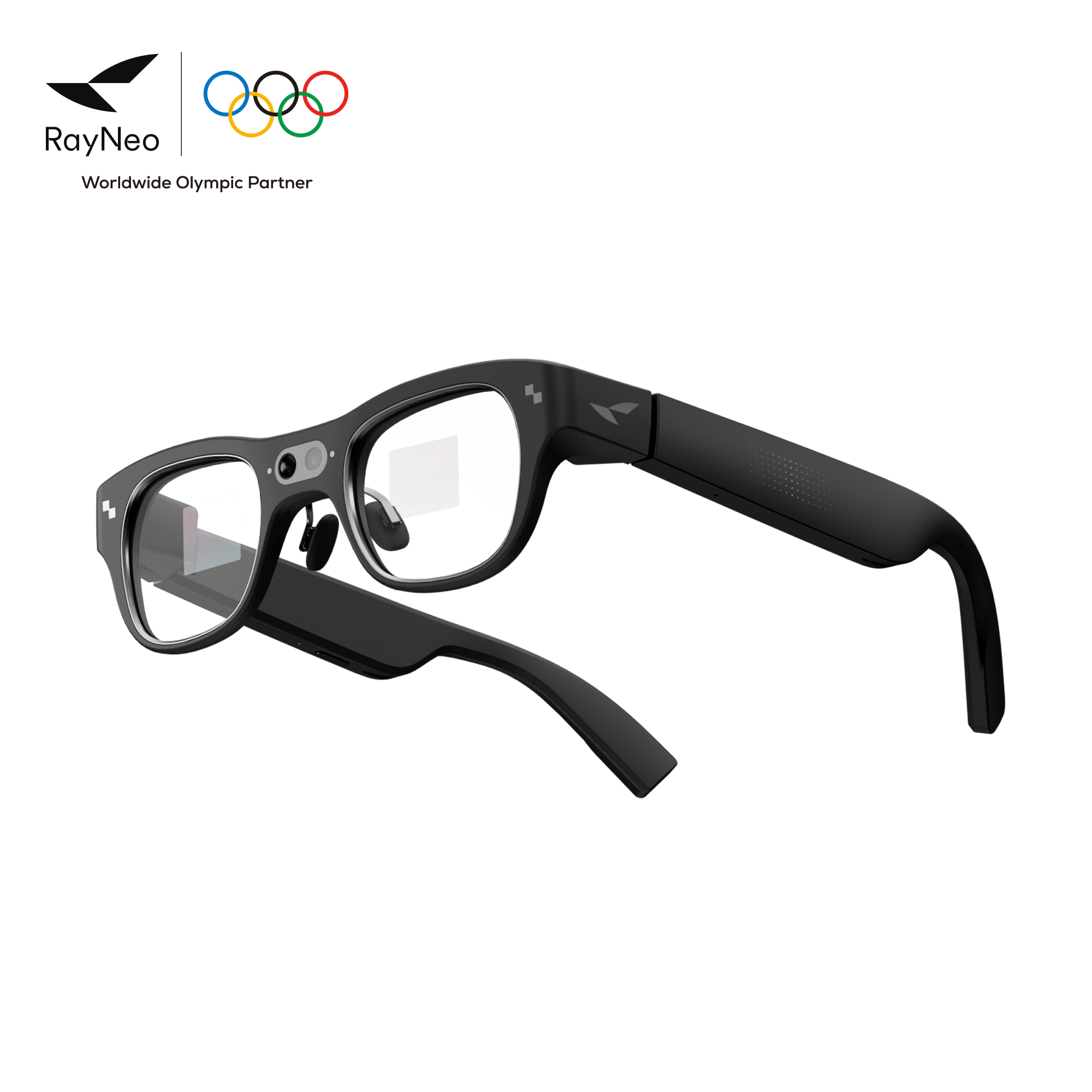
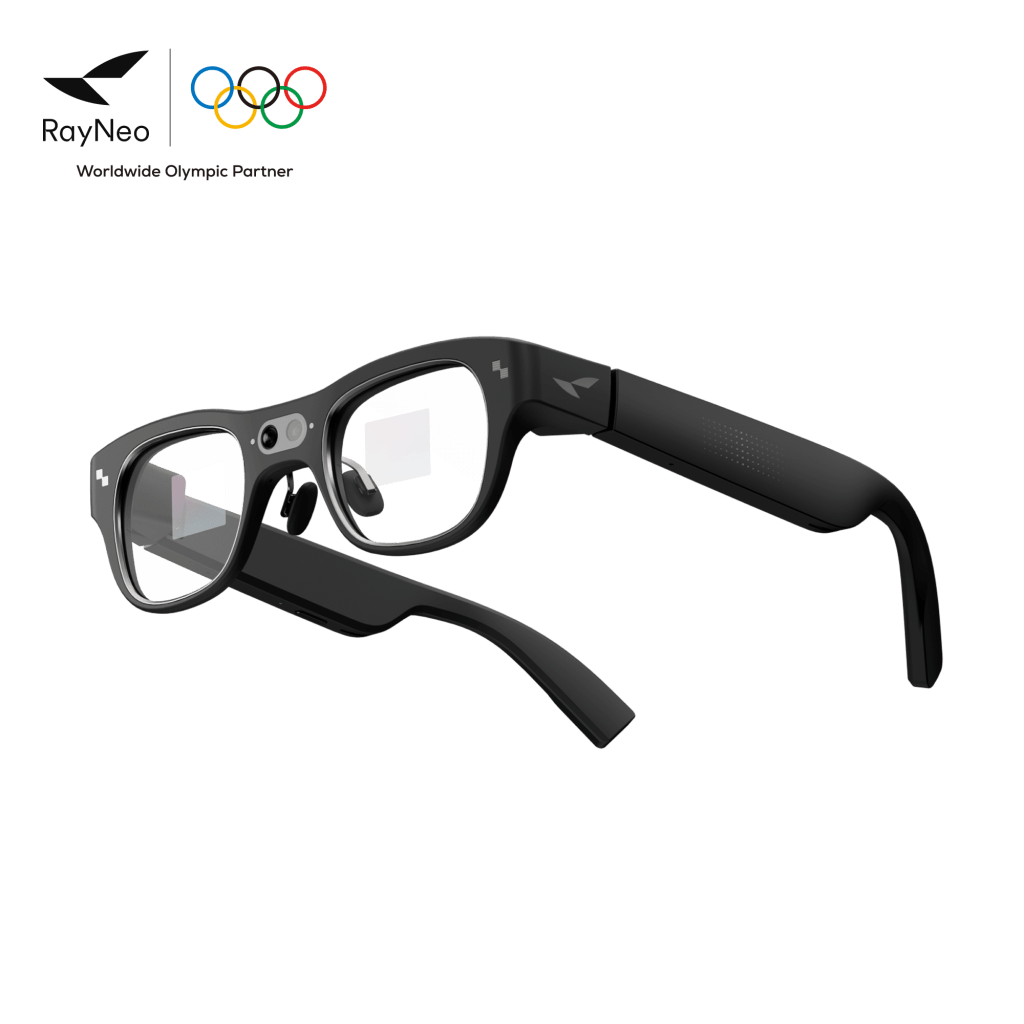
RayNeo X3 Pro is the kind of smart glasses product that makes the category feel both thrilling and unfinished. It has full-color MicroLED waveguide displays, Google Gemini AI, RayNeo AIOS, a Snapdragon AR1 chip, a 12MP camera, real-time translation, heads-up navigation, app windows, spatial controls, and a frame that is much closer to ordinary glasses than older AR headsets.
It also costs around $1,299 on the current U.S.-facing RayNeo and B&H listings, and multiple long-form reviews point to the same practical problem: the technology is impressive, but battery life, price, and social wearability keep it from being an easy mainstream recommendation. That tension is exactly why RayNeo X3 Pro deserves a full guide.
What RayNeo X3 Pro is
RayNeo X3 Pro is not a simple wearable monitor like RayNeo Air 4 Pro, XREAL One, VITURE Luma Pro, or VITURE Beast. It is a true AI+AR glasses attempt: transparent display overlays, on-glasses apps, camera-based context, translation, navigation, assistant features, and spatial software running through RayNeo AIOS.
That puts it closer to the long-term dream of smart glasses than most display glasses. A display-glasses product usually asks, ‘Can I make my phone, console, or laptop screen bigger?’ X3 Pro asks, ‘Can useful information live in front of my eyes while I keep looking at the real world?’
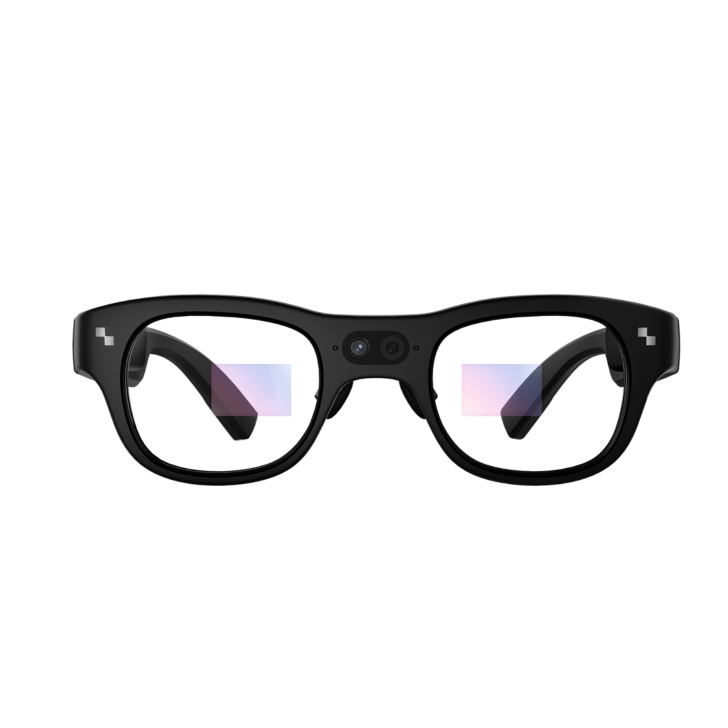
The core specs that matter
- Current U.S. price context: RayNeo’s page and B&H list the product around $1,299, while some reviews discuss earlier $1,099 early-bird pricing.
- Display: binocular full-color MicroLED waveguide optics.
- Resolution: 640 x 480 per RayNeo’s official product listing.
- Brightness: RayNeo lists 3,500 nits average and 6,000 nits peak brightness.
- Field of view: 30 degrees according to RayNeo’s tech specs and review coverage.
- Chip: Qualcomm Snapdragon AR1 Gen 1 platform.
- Memory and storage: 4GB RAM and 32GB storage on the official spec table.
- Camera system: RayNeo Image Plus dual-camera setup with a 12MP Sony IMX681 RGB camera plus an OV spatial camera for positioning.
- Tracking: 6DoF spatial positioning through the camera/sensor system.
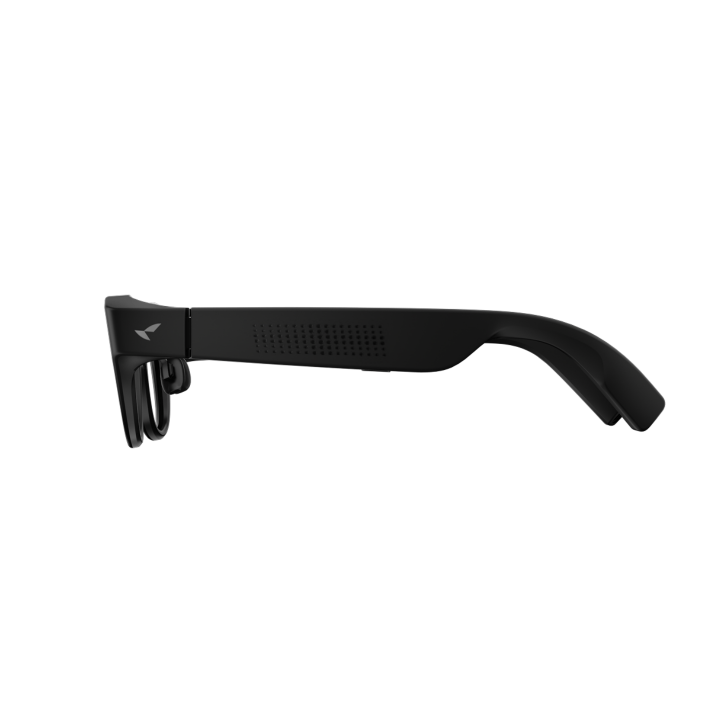
- Audio and microphones: dual opposing acoustic chamber design, three microphones, beamforming, and noise cancellation.
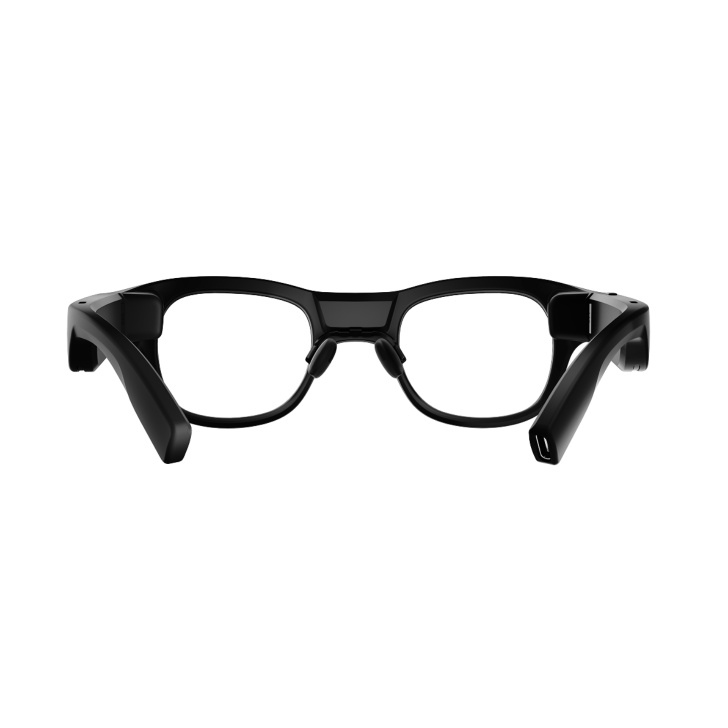
- Connectivity: Wi-Fi 6, Bluetooth 5.2, and USB 2.0.
- Battery: 245mAh battery with Type-C charging; RayNeo lists recharge in about 38 minutes.
- Weight: 76 +/- 1 grams according to RayNeo.
- Controls: five-dimensional temple control, voice control, phone air mouse, and Apple Watch control support for Apple Watch S7 and later.
Why the display is different
Most consumer display glasses use birdbath-style optics that create a large private screen floating in front of you. RayNeo X3 Pro uses full-color MicroLED waveguide optics, which is the more future-facing smart-glasses path. Instead of feeling like a mini monitor strapped to your face, the information can appear as a transparent overlay blended into the real world.
This is why X3 Pro is interesting even if it is not the best buy for most people. It points toward glasses that can show translation, directions, reminders, app windows, and AI answers without making you stop, pull out a phone, or look down at a screen. That is closer to ambient computing than portable cinema.
What Gemini and RayNeo AIOS add
RayNeo positions X3 Pro around Google Gemini Live and RayNeo AIOS. The official page highlights always-on AI assistance, global translation, an AR app ecosystem, smart assistant features for to-dos and memos, real-time heads-up navigation, and a developer-oriented Creator Mode.
This is the major difference from cheaper smart glasses. Ray-Ban Meta is excellent for camera, social capture, audio, and AI prompts, but it does not put full-color information directly in front of both eyes. Even Realities G2 and Halliday put glanceable information into more discreet designs, but with narrower display ambitions. X3 Pro tries to combine real AR display behavior with AI assistant behavior in one wearable.
How it feels in actual use
Reviewers generally agree that the underlying idea works. Tom’s Hardware praised the MicroLED waveguide display quality and useful translation/navigation concepts, while Tom’s Guide called the tech futuristic and highlighted Gemini, RayNeo AIOS, app windows, and live AI usefulness. PhoneArena framed it as a taste of the AR future rather than a normal display-glasses product.
The practical examples are easy to understand. Walking navigation can sit in the display instead of forcing you to stare at a phone. Translation can help with text or speech. AI can answer questions about what you are doing. App windows can keep small pieces of digital life available without turning the glasses into a full VR headset.
The battery problem is real
The biggest caution is battery life. RayNeo’s official spec table lists a 245mAh battery, and review coverage is consistently skeptical about how long the glasses last under real workloads. Tom’s Hardware said battery life gave them extreme pause and described real-world use that fell far short of the manufacturer claim. Android Central’s coverage similarly emphasized that the futuristic hardware is undermined by short practical runtime.
That matters because X3 Pro is not supposed to be a five-minute demo. Navigation, translation, AI assistance, camera use, and always-visible overlays make the most sense when they can follow you through a real day. If the battery is too fragile, the best features become things you ration instead of things you trust.
The style problem matters too
Smart glasses do not only compete on specs. They compete on whether people are willing to wear them outside. Tom’s Guide was blunt about the design problem: the technology is impressive, but the look still feels obviously techy. That is not a small criticism. Glasses live on your face, not in a backpack.
RayNeo has clearly made progress compared with older AR hardware, but X3 Pro still looks more like early adopter gear than everyday fashion eyewear. For some readers, that is fine. For others, it is the reason Ray-Ban Meta, Oakley Meta, or Even Realities may feel more realistic even with less advanced display technology.
RayNeo X3 Pro vs RayNeo Air 4 Pro
RayNeo Air 4 Pro is the practical entertainment choice. It is far cheaper, focused on a private display, and easier to understand: plug it into a compatible device and watch, play, or stream. X3 Pro is the experimental AR choice. It costs much more because it includes waveguide display optics, onboard compute, cameras, AI, and standalone-style smart-glasses features.
If your goal is gaming, streaming, or travel entertainment, Air 4 Pro makes more sense. If your goal is to study where the future of everyday AR glasses is heading, X3 Pro is the more important product.
RayNeo X3 Pro vs Meta Ray-Ban Display
Meta Ray-Ban Display is the more mainstream-looking smart display glasses concept. It has the power of Meta’s ecosystem and a stronger fashion partnership. RayNeo X3 Pro counters with binocular full-color MicroLED waveguide display ambition, Gemini integration, and a broader AR app/interface story.
The comparison is less about which product has the biggest spec sheet and more about which compromise you prefer. Meta is trying to make smart glasses socially acceptable first. RayNeo is trying to show how capable AR glasses can become, even if the design and battery still feel early.
RayNeo X3 Pro vs Even Realities G2 and Halliday
Even Realities G2 and Halliday DigiWindow Glasses are quieter products. They focus on glanceable information, translation, prompts, and lighter daily use. X3 Pro is louder, more ambitious, and much more technically packed. It wants to be a real AR computer, not just a subtle notification layer.
That makes X3 Pro more exciting, but also harder to recommend casually. Subtle glasses can become habits. Ambitious glasses need battery, comfort, style, and software to all work at once.
Official Video
RayNeo’s official launch video is worth watching because it shows the exact pitch: full-color AR overlays, Gemini AI, translation, navigation, and a future where the glasses become a real-time computing layer rather than just a screen.
Who should consider RayNeo X3 Pro
- Early adopters who want one of the most advanced consumer AR glasses packages available.
- Developers and builders interested in RayNeo’s Creator Mode and AR app ecosystem.
- Smart-glasses watchers who want to understand the category beyond camera-only glasses.
- Translation and navigation power users who can tolerate short battery life for specific sessions.
- People comparing Meta Ray-Ban Display alternatives and willing to trade fashion polish for display ambition.
Who should skip it
- Most mainstream buyers who want a safe, polished purchase under $500.
- Battery-sensitive users who need all-day confidence.
- Fashion-first buyers who want smart glasses that disappear socially.
- Movie and gaming users who mostly need a big virtual screen; XREAL, VITURE, and RayNeo Air models are better fits.
- Camera-only users who may be better served by Ray-Ban Meta, Oakley Meta, or Solos AirGo V2.
Bottom line
RayNeo X3 Pro is one of the clearest examples of why smart glasses are exciting in 2026. It brings full-color MicroLED waveguide displays, Gemini AI, Snapdragon AR1, cameras, spatial positioning, navigation, translation, and apps into a product that looks much closer to glasses than a headset.
It is also one of the clearest examples of why the category is not fully solved. At around $1,299, with battery life concerns and a still-obvious tech look, X3 Pro is not the smart glasses I would tell most people to buy first. It is the smart glasses I would tell serious followers of the category to study. The future is visible here. So are the problems still standing in the way.
Continue Reading
If this guide helped, these related smart glasses articles are the best next stops.
- Ray-Ban Meta vs Oakley Meta vs XREAL vs Vuzix: Smart Glasses Types ExplainedA smart glasses type guide that explains the difference between AI camera glasses, sports glasses…
- Meta Ray-Ban Display Guide: The First Smart Glasses That Feel Close to Everyday ARA U.S.-focused Meta Ray-Ban Display guide covering the $799 price, Neural Band, in-lens display…
- XREAL One Pro Guide: The AR Display Glasses for Gaming, Travel, and a Huge Portable ScreenA U.S.-focused XREAL One Pro guide covering the $649 price, 57-degree field of view, X1 chip…
- Best Smart Glasses in 2026: Which One Should You Actually Buy?A U.S.-focused 2026 smart glasses comparison guide covering Ray-Ban Meta, Oakley Meta, XREAL…
Related guide: Compare the best AR display glasses before choosing one model.