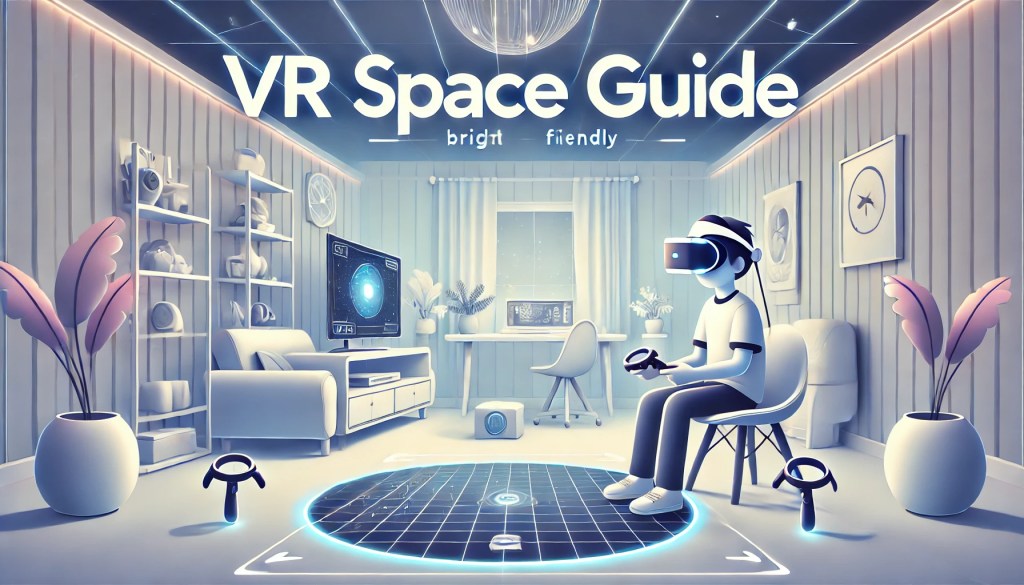
How Much Space Do You Need for VR?
VR headsets let you immerse yourself in virtual worlds, using handheld controllers similar to Xbox or PlayStation. However, unlike traditional consoles, VR requires physical movement, which means you need enough space to move safely. The space requirements vary by content type, but here’s a general guide to help you set up your VR area.
I personally play in a 2.35m x 2.2m (7.7ft x 7.2ft) rectangular space, and it works well for most contens. If you have enough space, I highly recommend getting a VR headset. If you’re considering a Meta Quest, use the referral link below to get store credit when purchasing: 👉 Meta Quest Referral Link
VR Space Requirements by Game Type
1. Small Space (Seated & Minimal Movement)
📏 Enough space to sit and stretch your arms.
🕹️ Best for: Entertainment, board games, simulation, fishing, light exploration.
🔹 Entertainment – Internet/Netflix/YouTube
🔹 Board Games – Cubism, DEMEO: Dungeon Crawler
🔹 Simulation – LEGO Bricktables, Spacefolk City
🔹 Fishing – Real VR Fishing
🔹 Exploration – Meta Horizon Worlds
Seated experiences require minimal space.
Entertainment apps work best with a comfortable chair, allowing you to sit back and enjoy without worrying about movement.
Board games and simulations feel natural at a desk, where you can interact with virtual elements using precise controller movements.
Fishing games, however, require a bit more room for casting and reeling, as you’ll need to make larger arm motions to simulate the experience of throwing out a line and pulling in a catch. Even so, you can still remain seated, making it a great option for small spaces.
2. Medium Space (Standing & Arm Movement)
📏 Enough space to stand, stretch, and slightly shift position.
🕹️ Best for: Rhythm games, golf, exploration, shooting games.
🔹 Rhythm – Synth Riders
🔹 Golf – Walkabout Mini Golf
🔹 Exploration – Animal Company
🔹 Shooting – First Encounters, In Death: Unchained, Arizona Sunshine 2
🔹 Fighting – Until You Fall
Rhythm games require large arm movements but minimal leg movement, making them well-suited for medium spaces. These games often involve swinging, reaching, or striking in rhythm with the music, requiring enough space to fully extend your arms without obstruction.
Golf games need slight shifts in position, as players adjust their stance and make controlled swings, but they don’t demand as much movement as other games. Walkabout Mini Golf, for example, focuses on putting rather than full swings, making it a great option for smaller spaces.
Shooting and exploration games involve a lot of 360-degree movement, where players must turn their bodies, aim, and react quickly. While full steps aren’t necessary, having extra space to rotate freely enhances gameplay. Since body rotation is common, even small unintentional movements can cause a player to drift off-center, so keeping a mental note of your positioning is crucial.
Some fighting games can also be played in this space, as long as they don’t require frequent dodging or stepping movements. Games like Until You Fall focus more on arm-based combat, allowing players to remain relatively stationary while still experiencing intense action.
3. Large Space (Full-Body Movement)
📏 Enough space to take 2-3 steps in any direction.
🕹️ Best for: Fighting games, action-heavy VR experiences.
🔹 Fighting Games – Batman: Arkham Shadow, The Thrill of the Fight 2, Dragon Fist: VR Kung Fu, Asgard’s Wrath 2, Dungeons of Eternity, Underdogs
Most fighting games require fast movement and dodging, meaning you’ll need ample space to step forward, backward, and occasionally to the side without colliding with obstacles. In my experience, a deeper space is better than a wider one, as most combat interactions occur directly in front of you. I personally play in a 2.35m x 2.2m (7.7ft x 7.2ft) space, which is just enough for most fighting games, though a bit more room would be ideal. Since combat games require rapid punches, blocks, and dodges, having even a small buffer zone can prevent accidental collisions with walls or furniture. If your space is slightly smaller, consider adjusting your stance and movement to minimize potential accidents while still enjoying the immersive experience.
VR Safety Tips ⚠️
I’ve injured myself multiple times and even broken a few things. If you can’t get a bigger space, here are some ways to stay safe:
✔ Use a tactile floor mat – Helps you feel where the center of your space is.
✔ Cushion your walls – Soft padding at chest level can protect your hands.
✔ Set a smaller VR boundary – This prevents you from hitting walls or furniture.
✔ Use XR mode – Mixed reality lets you see your surroundings while playing, reducing accidents.
❌ Wearing gloves isn’t ideal – thin gloves offer little protection, while thick gloves interfere with gameplay.
Final Thoughts
Bigger VR spaces allow for a better experience, and some people even set up entire rooms or play outdoors! If you’re interested in seeing my VR gameplay, check out my Instagram: 👉 VR Instagram
If you’re considering buying a Meta Quest, use my referral link to get bonus store credit!
👉 Meta Quest Referral Link
I hope this guide helps you pick the right VR setup! Let me know in the comments if you have any questions. 🎮🔥
Continue Reading
Stay in the VR guide loop with these related PlayTechDeep articles.
- Best VR Games in 2026: The Essential Meta Quest GuideAn evergreen guide to the best VR games in 2026 for Meta Quest owners, covering beginners, fitness, co-op…
- Ghosts of Tabor on Meta Quest: Is This Extraction Shooter Worth the Risk?Ghosts of Tabor on Meta Quest: a U.S.-focused app guide covering price, extraction gameplay, loadouts, raid…
- Moss on Meta Quest: Why It Still Feels Like VR’s Warmest Storybook AdventureA detailed U.S.-focused guide to Moss on Meta Quest, covering price context, how it plays, community response…
- Walkabout Mini Golf on Meta Quest: Why It Still Feels Like VR’s Easiest RecommendationA detailed U.S.-focused guide to Walkabout Mini Golf on Meta Quest, including price context, how it plays, why…